 EulerPad
A math tutor that checks your work, not just your answer.
Handwrite your steps on iPad with Apple Pencil, on iPhone, or on Android. EulerPad grades every line, finds the exact step where the mistake happened, and explains it, instead of just showing the answer.


Free to start · iPad, iPhone, and Android · Stylus optional
How it works
EulerPad reads your handwriting and follows your mathematical reasoning step by step.
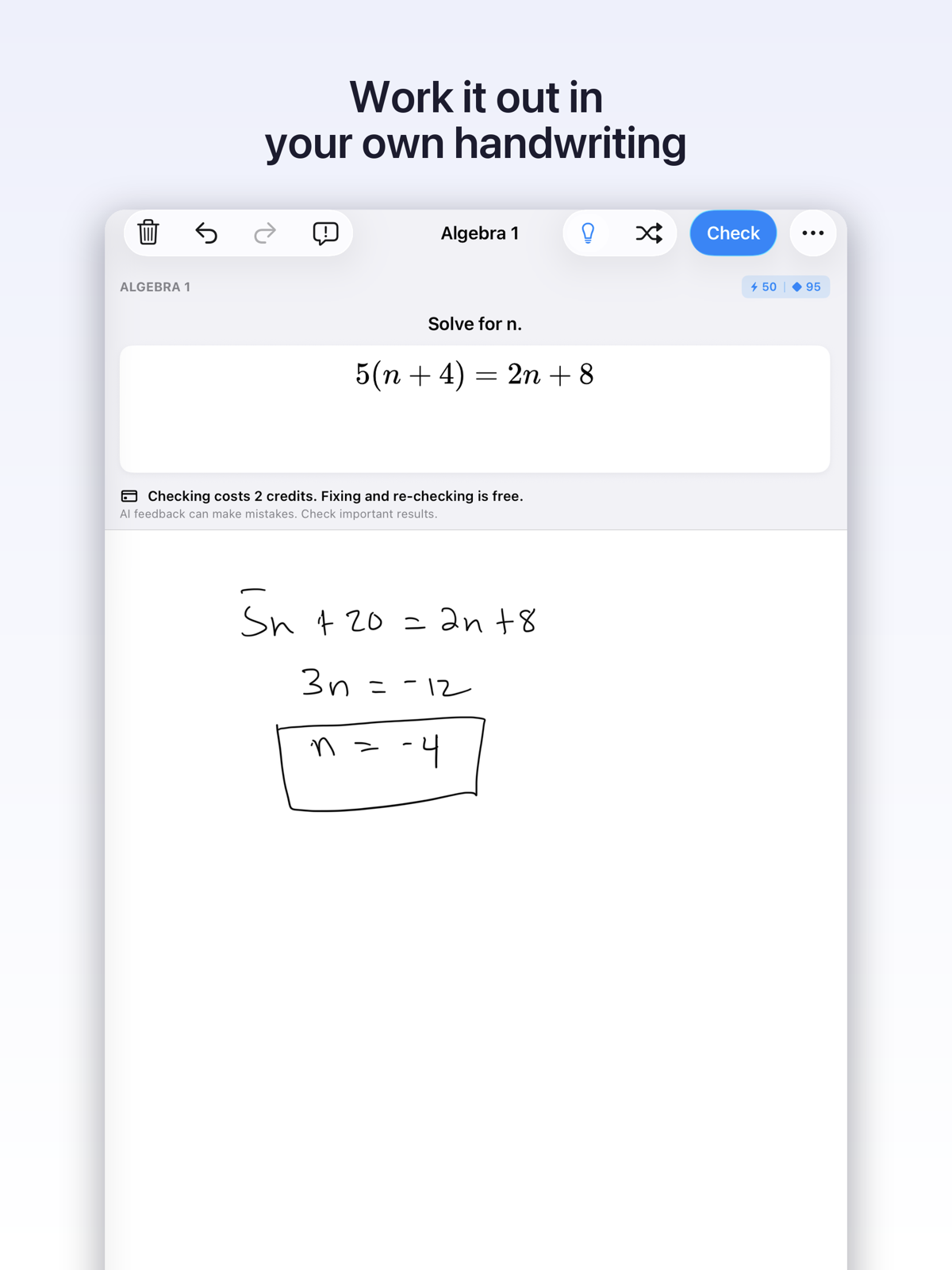
Write your steps
Handwrite equations naturally with Apple Pencil or a stylus on iPad, Android tablets, or right on your phone screen. Work through the problem line by line, just like pencil on paper.
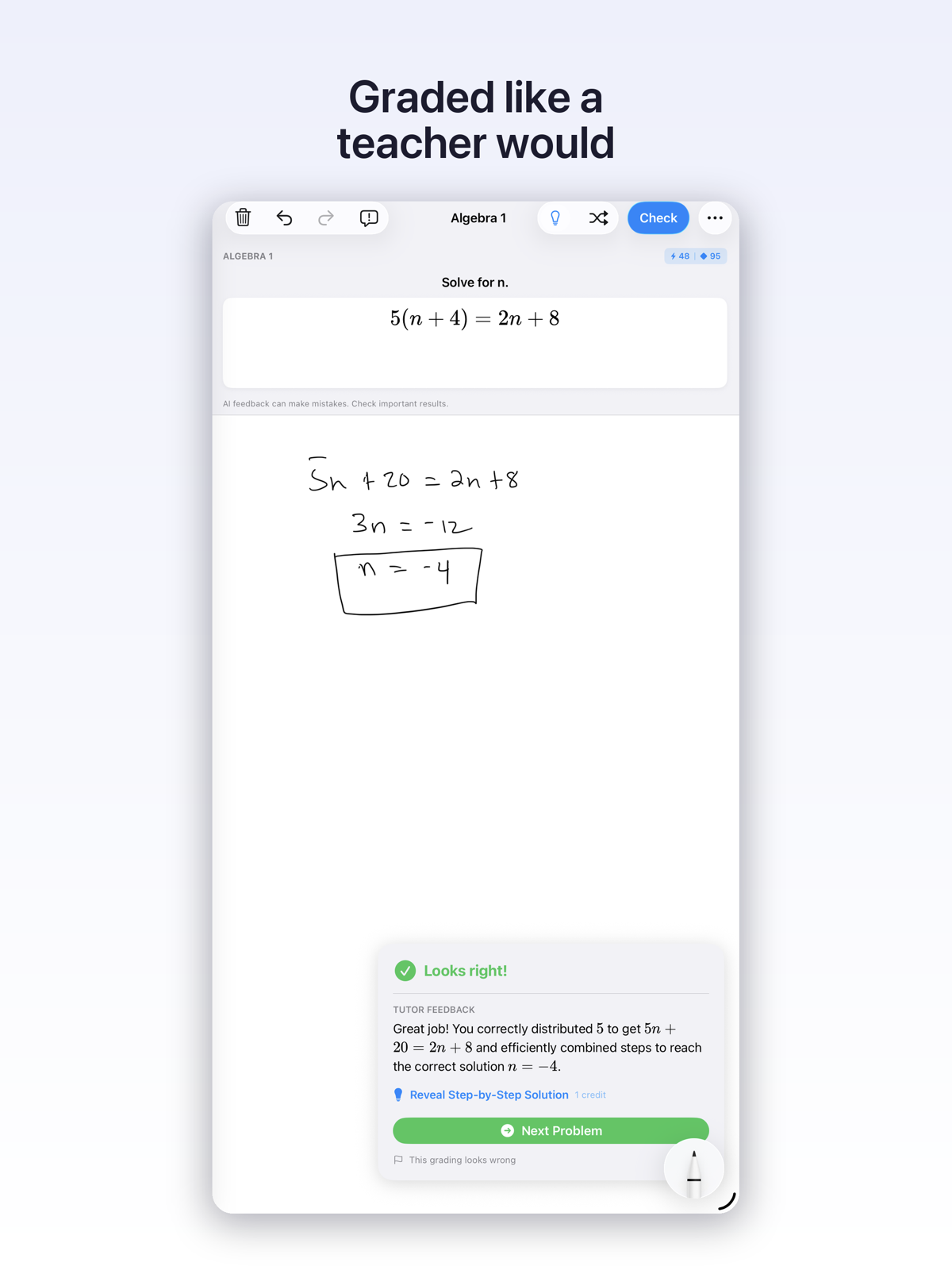
EulerPad checks every line
Instead of just checking whether the final answer matches, EulerPad validates the mathematical transition between each step.
Understand what went wrong
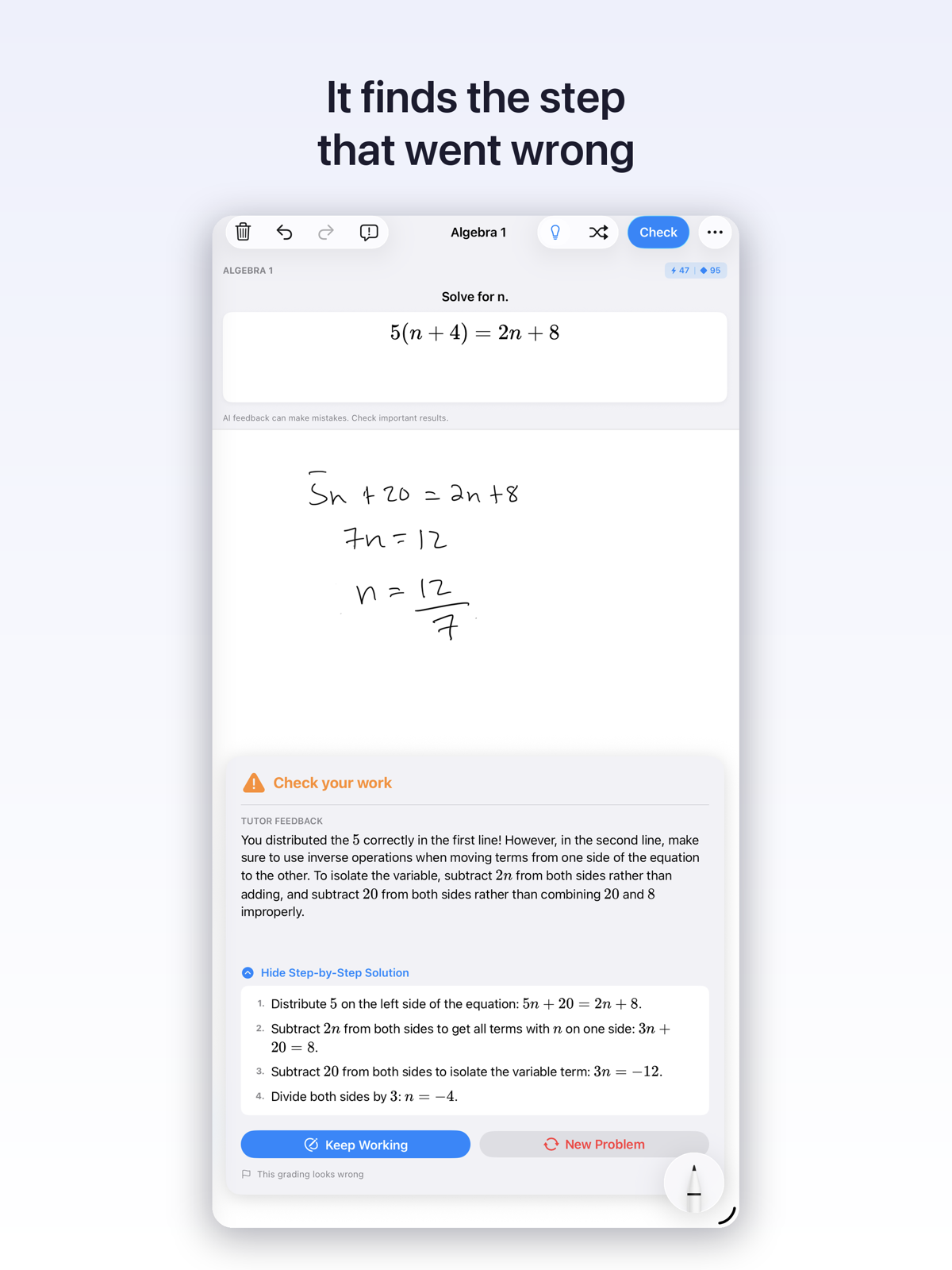
EulerPad highlights the exact line where the error happened and explains the concept so you learn why, not just what.
Two ways to use it
Whether you want guided skill practice or help with tonight's assignment.
Practice by topic
Pick from hundreds of verified problems covering middle school math, high school algebra and geometry, calculus, and college-level courses.
- Structured curricula organized by subject and concept
- Verified answer keys with step-by-step guidance
- Track your mastery as you solve problems
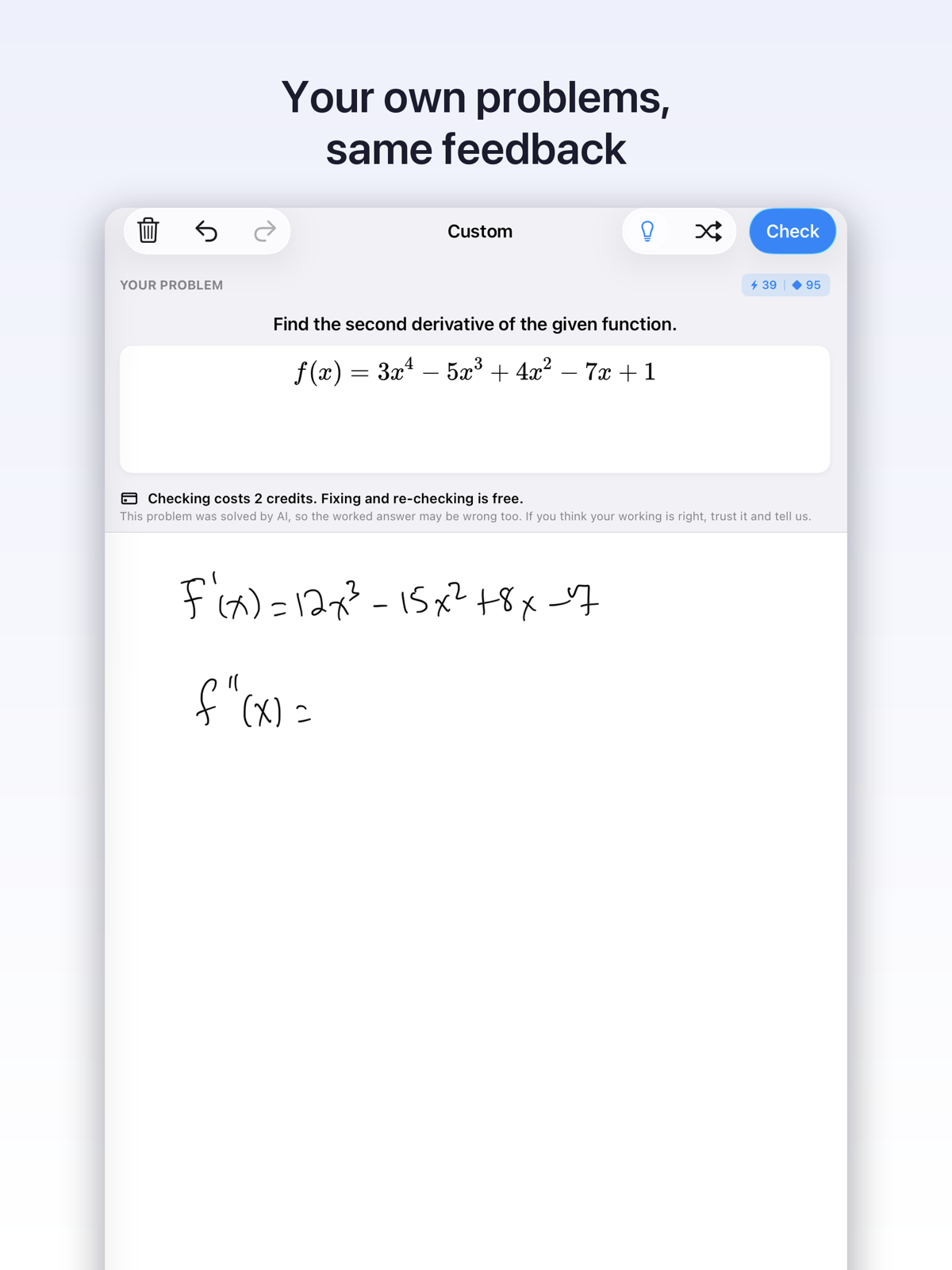
Bring your own homework
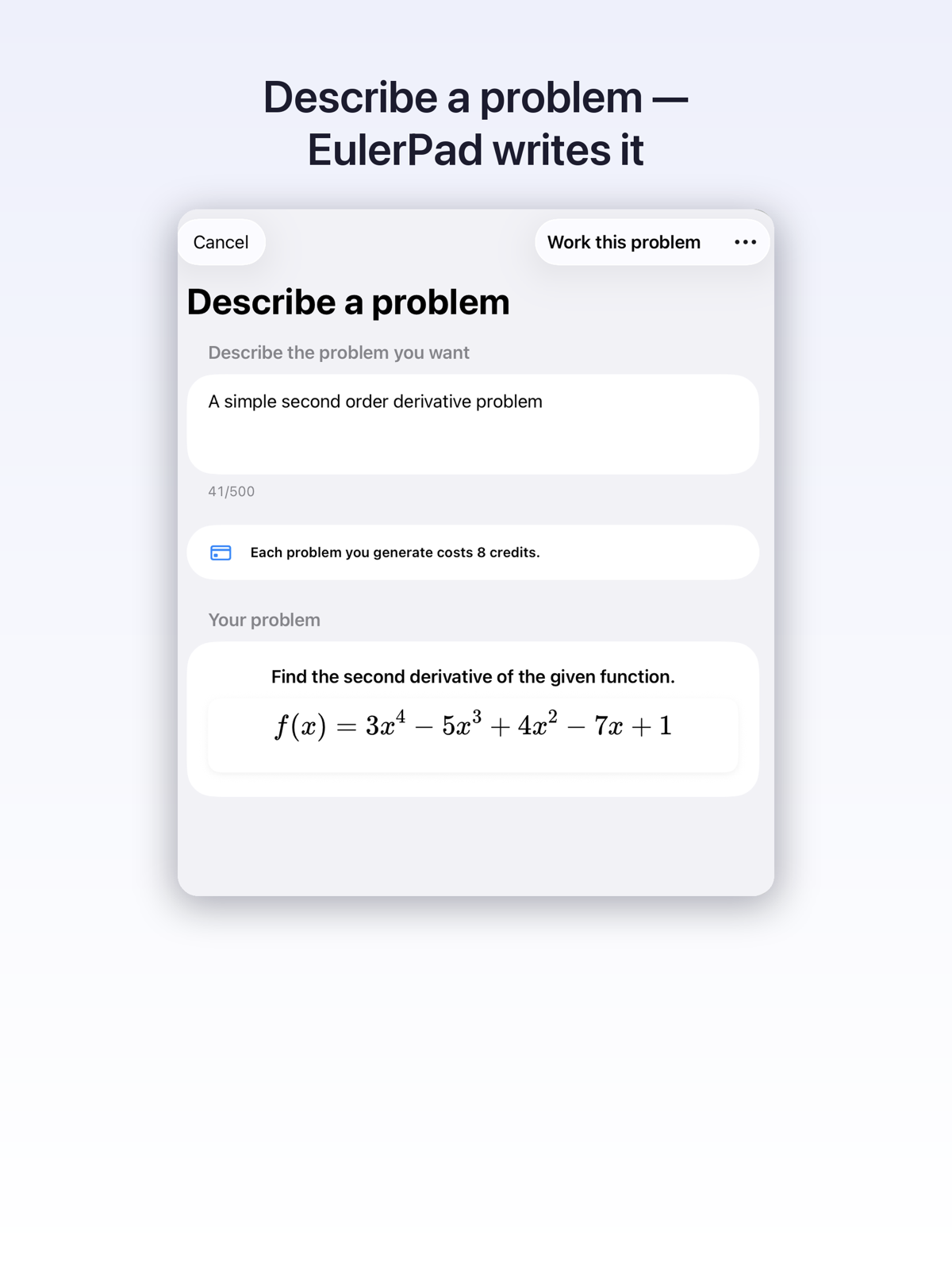
Photograph a printed worksheet, textbook page, or typed question. EulerPad analyzes the problem, solves it to create its own verified answer key, and then grades your handwritten steps against it.
- Snap a photo with your tablet or phone camera
- Type or dictate any custom equation
- Get the same line-by-line grading on your school assignments
Why it's different
Built for students who want to truly understand math, not just skip past it.
Checks the work, not just the answer
A wrong answer doesn't mean your entire method was flawed. EulerPad looks at every transformation so you can see if you did 90% of the work right and only missed a negative sign.
Explains the mistake in your own steps
EulerPad doesn't force you into a single rigid solution method. It meets you where you are, evaluating your actual handwritten work and explaining errors within your approach.
Nothing is graded until you submit
No anxiety-inducing red marks popping up while you're still working through scratch work. Write, erase, experiment, and submit only when you're ready.
Free to start. Upgrade on your terms.
Every account starts with free credits on install and more each day. When you want extra practice, choose between a monthly subscription or flexible one-time credit packs.
Monthly Subscription
A generous daily credit refill every single day, plus accumulating monthly bonus credits for daily math study.
One-Time Credit Packs
Buy a bundle of credits whenever you need extra help. One-time purchases starting from $1.99, with zero recurring charges.
Download EulerPad and start solving with free starter credits today:
Frequently Asked Questions
Which devices are supported?
EulerPad is available on iPad, iPhone, and Android (phones and tablets).
- Tablets (iPad & Android): Writing with an Apple Pencil, Samsung S-Pen, or stylus provides the most natural pen-on-paper feel.
- Phones (iPhone & Android): Great for reviewing problems, quick step checks, and photographing homework on the go.
- Writing with your finger is fully supported on all touchscreens.
How do credits and subscriptions work?
EulerPad is free to start. Every student gets starter credits upon installation, plus a daily allowance refilled every day. If you need more credits for extra practice, you have two choices:
- Monthly Subscription: Expands your daily allowance and grants monthly bonus credits for ongoing study.
- One-Time Credit Bundles: Purchase a pack of credits starting at $1.99. These credits never expire and involve no recurring subscription.
Which math subjects does EulerPad cover?
Our curated catalog covers:
- Foundations: Basic Math, Pre-Algebra, Algebra 1, and Algebra 2
- Geometry & Trigonometry: Geometric proofs, angles, trigonometry, and polar coordinates
- Higher Mathematics: Precalculus, Calculus I, Calculus II, Calculus III, Differential Equations, and Linear Algebra
- Specialized Topics: Discrete Mathematics, Probability & Statistics, Real Analysis, Physics, Deep Learning, Finance, and SAT Math
For any topic not in the curated library, you can photograph or type your own custom homework problem.
Is my child's work stored?
EulerPad processes handwriting and submitted problems solely to grade steps and provide educational explanations. Data is stored securely in association with your private account. We do not sell personal information or handwriting data to third parties or advertisers. For complete details, review our full Privacy Policy.
Does EulerPad just give students the answer?
No. EulerPad is designed from the ground up as a patient tutor, not a homework shortcut. It guides students by pinpointing mistakes in their own steps so they can understand and fix them. Full solutions are kept hidden and are only revealed if a student explicitly chooses to request the solution.
How do refunds work?
All in-app purchases are billed and processed directly by Apple (App Store) or Google (Google Play). You can request refunds through Apple’s Report a Problem page or Google Play's Order History page. See our Support page for more details.
How do I contact support?
You can reach us anytime at support@eulerpad.app. If you're reporting an issue with a problem, please include your device model, OS version, and a screenshot so we can help quickly.